
If you’ve been researching what orphan pages are, you’re already addressing one of the most overlooked issues in search engine optimization (SEO). While many businesses focus on publishing blog posts, targeting keywords, or earning backlinks, they often ignore how their website is structured. Even the most valuable content can fail to rank if search engines cannot easily discover it. That’s where orphan pages become a problem.
An orphan page is a webpage on your site that isn’t linked to from any other page. Without these links, search engines may have trouble finding, crawling, or ranking the page. Visitors also won’t find the content unless they know the exact URL.
Whether you manage a business website, an online store, or a company blog, understanding what orphan pages are is essential for improving your website’s visibility and maximizing the value of your content. In this complete guide, you’ll learn how orphan pages affect SEO, why they occur, how to identify them, and the best practices for fixing and preventing them.
Table of Contents:
- What Are Orphan Pages?
- Why Orphan Pages Matter for SEO?
- How Search Engines Discover Web Pages?
- What Causes Orphan Pages?
- Common Examples of Orphan Pages
- How Orphan Pages Affect Website Performance?
- How to Identify Orphan Pages?
- How to Fix Orphan Pages?
- Best Practices to Prevent Orphan Pages
- Frequently Asked Questions
- Final Thoughts
- Grow Your Website with Excell
What Are Orphan Pages?
To fully understand what orphan pages are, it’s important first to understand how websites are organized. Every website is made up of individual pages connected through internal links. These links help visitors navigate from one page to another while also guiding search engine crawlers through the site’s structure. Without these connections, search engines have a much harder time discovering and understanding your content.
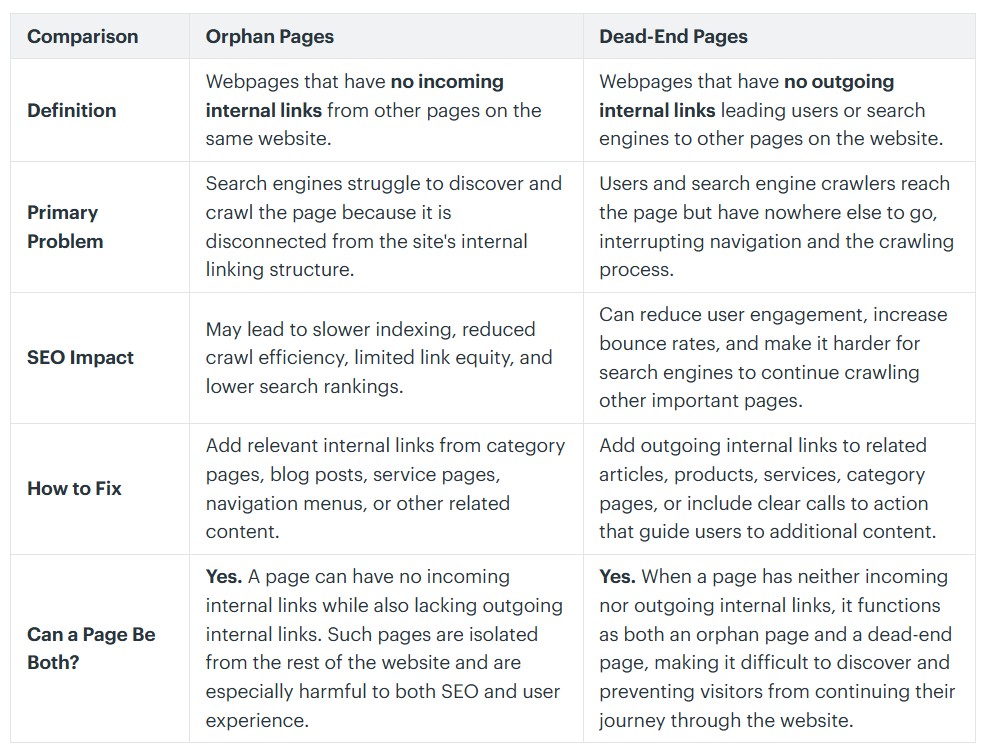
An orphan page is a webpage on your site that has no internal links from any other page. Since it’s disconnected, users can’t easily reach it through navigation, menus, or category pages. Search engines also have trouble finding and crawling it because there are no internal paths leading to it.
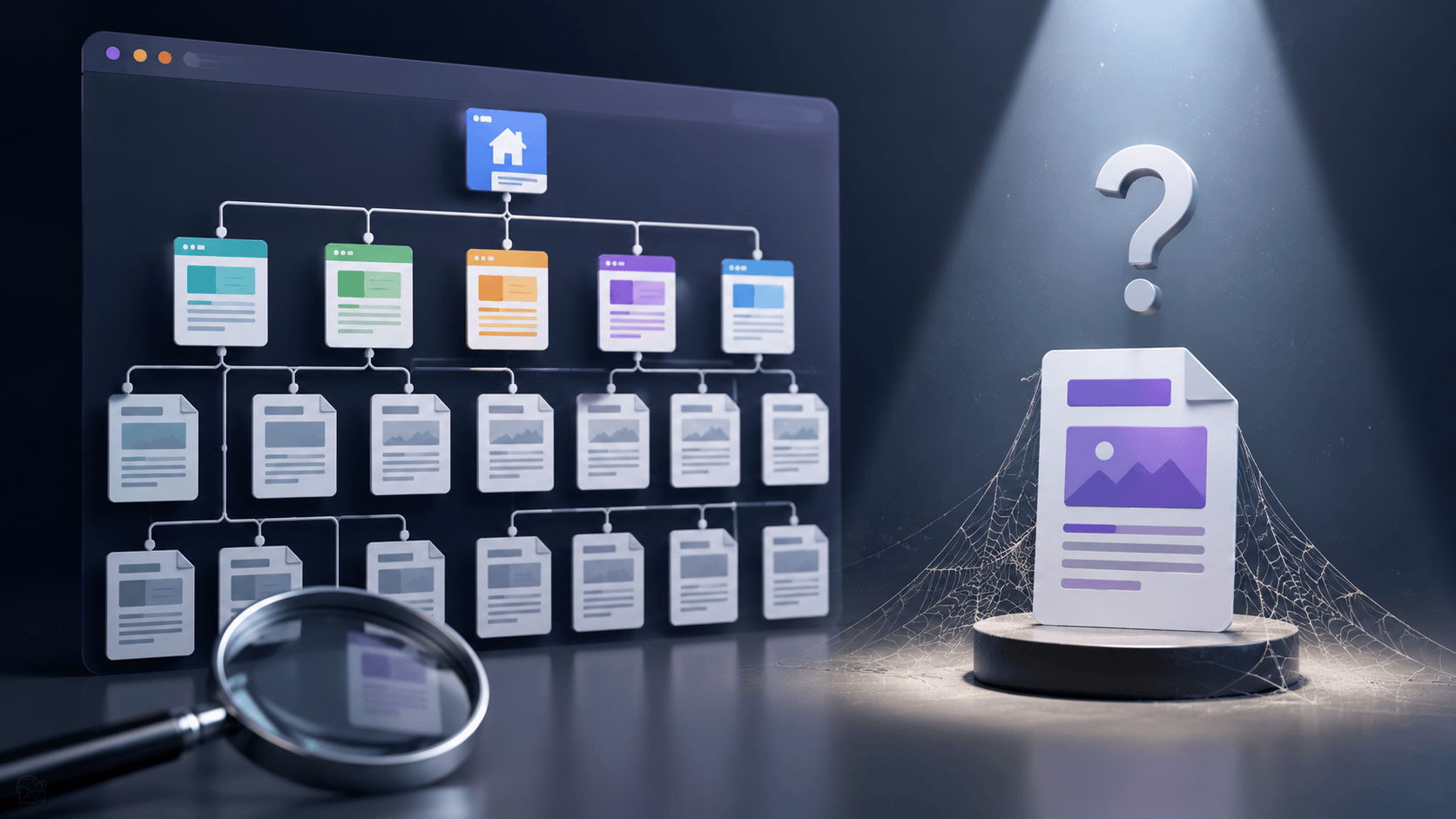
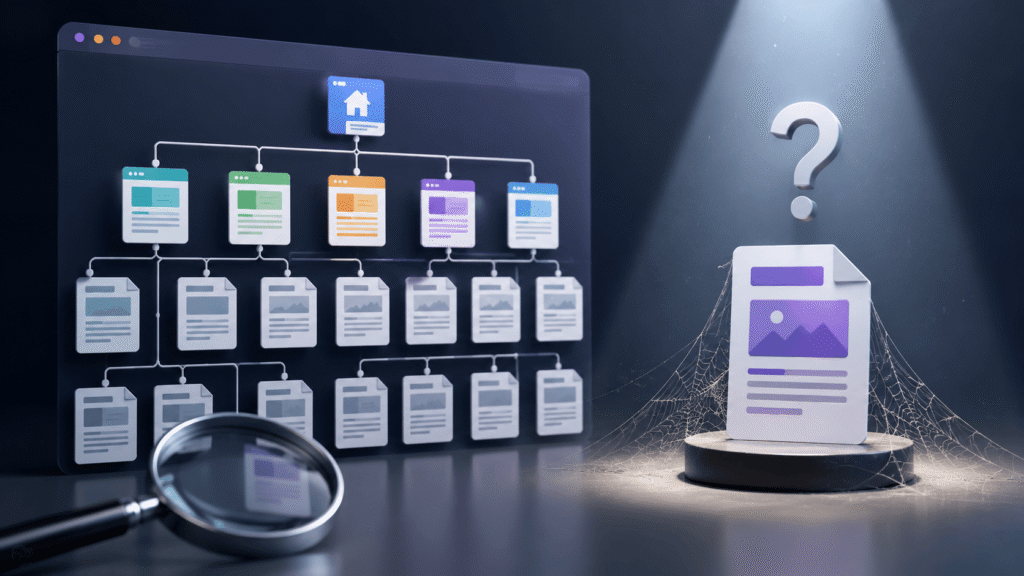
Think of your website as a city. Each webpage represents a building, while internal links are the roads connecting every destination. A well-structured website has roads leading to every important building, making it easy for both people and search engines to travel from one location to another. An orphan page, however, is like a building hidden deep in the city with no roads leading to it. Although the building still exists, very few people know it’s there because it cannot be reached through the normal transportation network.
The same concept applies to websites. Search engines such as Google primarily discover new pages by following internal links from pages they have already crawled. Every time Googlebot lands on a webpage, it scans the page for links and follows those links to discover additional content. This process allows search engines to map and understand a website’s structure continuously.
If a page has no internal links, Google has fewer chances to find it on its own. The page might still be found through an XML sitemap, a link from another website, or by submitting the URL directly. But these methods aren’t as effective as strong internal linking. Internal links show how pages are related and help search engines figure out which content matters most.
For example, say your company publishes a detailed article called “The Complete SEO Checklist for Small Businesses.” It’s full of expert advice and tips that could help your audience and boost your rankings. But if you don’t link to it from your homepage, blog, service pages, or other posts, it becomes an orphan page.
Even if the page exists and shows up in your XML sitemap, visitors won’t have an easy way to find it while browsing your site. Search engines might eventually find it, but without internal links, they get few signals that the content is important. As a result, the page may be crawled less often, indexed more slowly, and have trouble ranking for its keywords, even if the content is great.
This problem is more common than many website owners think. Orphan pages often show up after redesigns, content moves, navigation changes, or marketing campaigns. For example, a business might create a landing page for a Black Friday sale or a webinar. After the campaign ends, the links to that page are removed, but the page stays online. Over time, it becomes an orphan page because no other pages link to it.
Ecommerce sites often create orphan pages when products are discontinued or removed from categories without being redirected or linked elsewhere. Blogs with many articles can also end up with orphan pages if old posts are removed from categories or related-post sections. Without regular SEO checks, these pages can go unnoticed for a long time.
It’s important to know that an orphan page isn’t always low quality. Many orphan pages have valuable information, detailed guides, product pages, or service descriptions that should rank well. The main problem isn’t the content, it’s the lack of internal links, which makes it hard to find. Even a great article can underperform if search engines and users can’t find it easily.
From an SEO perspective, orphan pages pose several problems. They break your internal linking strategy, reduce the flow of link equity, make crawling less efficient, and keep important pages from getting the attention they deserve. Internal links help spread authority across your site, so pages without them often get fewer ranking signals than well-connected pages.
In the end, knowing about orphan pages is key to keeping your website healthy. Every important page should be connected with a clear internal linking structure so users and search engines can find it easily. Regularly check your site, update internal links, and organize content into clear categories or topic clusters to prevent orphan pages and give your best content the chance to rank and attract visitors.
Why Orphan Pages Matter for SEO?
Many website owners assume that once a page is published, Google will automatically find it and rank it. Unfortunately, that’s not how search engines work. Internal links play a critical role in helping search engines understand your website.
1. Search Engines Discover Content Through Links
Google uses automated bots known as crawlers or spiders to explore websites. These bots begin with known URLs and then follow links to discover additional pages.

If a page has no internal links, Google may:
- Take much longer to find it.
- Crawl it less frequently.
- Miss important updates.
- Ignore it entirely.
Although XML sitemaps help search engines locate pages, internal links remain the strongest discovery signal.
2. Orphan Pages Receive Less Link Equity
Internal links don’t just help search engines discover pages—they also distribute authority across your website. This authority, often called link equity or PageRank, flows from one page to another through links.
Imagine your homepage has earned many backlinks. Every internal link from that homepage passes a portion of its authority to deeper pages. When a page has no internal links, it receives little of that authority, making it more difficult to rank in search results.
3. Poor User Experience
SEO isn’t only about search engines.
Visitors also rely on internal links to explore your website.
Without internal links, users cannot naturally discover orphan pages.
That means:
- Helpful guides remain hidden.
- Service pages receive fewer visits.
- Products generate fewer sales.
- Educational resources go unnoticed.
Good website navigation benefits both people and search engines.
4. Reduced Content ROI
Creating quality content requires investment.
Businesses spend time and money on:
- Keyword research
- Content writing
- Editing
- Graphic design
- SEO optimization
- Publishing
If those pages become orphaned, much of that investment is wasted because very few users ever find the content.
How Search Engines Discover Web Pages?
Understanding how Google crawls websites makes it easier to understand why orphaned pages become problematic. Google typically discovers pages through several methods.
Internal Links
This is the primary method. Google follows links from one page to another, gradually discovering your website. Strong internal linking creates a logical structure that search engines can easily understand.
XML Sitemaps
An XML sitemap acts like a directory of important URLs. Although Google uses sitemaps, they don’t replace internal links. Google has repeatedly stated that pages linked internally provide stronger contextual signals than pages found only in a sitemap.
External Backlinks
Sometimes another website links directly to your page. This can help Google discover an orphan page. However, relying solely on backlinks is risky because most orphan pages never receive them.
Previously Indexed URLs
If Google indexed a page years ago, it may continue to revisit it periodically.
However, without internal links, crawl frequency often decreases over time.
What Causes Orphan Pages?
Most orphan pages aren’t created intentionally. They often result from routine website maintenance.
Website Redesigns

A redesign frequently changes navigation menus and page hierarchy. Older pages remain published but lose all internal links.
Deleted Navigation Menus
Sometimes developers remove menu items while leaving the pages online. Those pages instantly become orphaned.
Content Migration
Migrating from WordPress to another CMS can accidentally remove category relationships and internal links.
Seasonal Campaigns
Businesses often create landing pages for promotions like:
- Black Friday
- Christmas sales
- Product launches
- Webinars
Once the campaign ends, those pages remain online but lose all links.
Product Discontinuation
Ecommerce websites regularly discontinue products.
When products disappear from collections but remain live, they become orphan pages.
Human Error
Content teams publish articles but forget to connect them to:
- Category pages
- Pillar pages
- Related articles
- Navigation menus
Even experienced marketers make this mistake.
Common Examples of Orphan Pages
Here are some real-world examples.
Old Blog Articles
A company publishes hundreds of blogs over several years. Older articles are removed from category pages and never linked again. Eventually, they become isolated.
Hidden Service Pages
A business creates a landing page for a niche service but never adds it to navigation.
Search engines struggle to discover it.
Ecommerce Products
Products removed from collections but still live on the website become orphan pages.
Download Pages
PDF download pages often become orphaned after redesigns.
Event Pages
Conference pages frequently remain published years after events conclude.
Without navigation links, they become orphan pages.
How Orphan Pages Affect Website Performance?
The effects extend beyond rankings.
Slower Indexing
New content may take weeks—or even months—to appear in search results.
Lower Rankings
Without internal authority, pages struggle to compete for competitive keywords.
Reduced Organic Traffic
Hidden pages naturally receive fewer impressions and clicks.
Lower Conversion Rates
If visitors never discover important service pages, they cannot become leads or customers.
Inefficient Crawl Budget
Large websites have limited crawl resources.
Google prefers crawling well-connected pages.
Orphan pages waste crawl opportunities.
How to Identify Orphan Pages?
Finding orphan pages requires comparing multiple data sources.
Crawl Your Website
Use SEO tools like:
- Screaming Frog SEO Spider
- Ahrefs Site Audit
- Semrush Site Audit
- Sitebulb
These tools crawl every linked page.
Compare With XML Sitemap
Pages listed in the sitemap but missing from the crawl often indicate orphan pages.
Review Google Search Console
Look for indexed pages that receive impressions but lack internal links.
Analyze Google Analytics
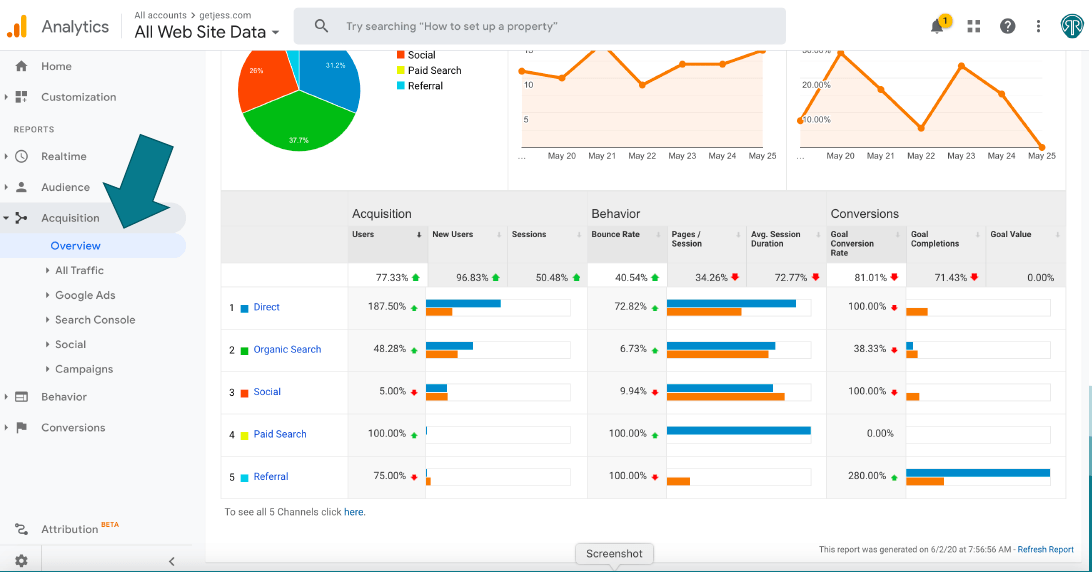
Unexpected traffic to isolated pages often reveals orphan pages.
Review CMS Content
Sometimes unpublished navigation causes pages to become hidden.
A manual review helps locate them.
How to Fix Orphan Pages?
Finding orphan pages is only half the process.
The next step is deciding what action to take.
Add Internal Links
Whenever possible, connect orphan pages to relevant content.
Examples include:
- Related blog articles
- Service pages
- Category pages
- Pillar pages
- Navigation menus
Every important page should have at least one meaningful internal link.
Include Pages in Topic Clusters
Modern SEO emphasizes topical authority.
Instead of isolated pages, organize content into clusters.
Example:
Pillar Page:
Complete Technical SEO Guide
Supporting Pages:
- What Are Orphan Pages?
- Crawl Budget
- XML Sitemap
- Internal Linking
- Canonical Tags
Each page links naturally to the others.
Improve Navigation
If a page is valuable enough, consider adding it to:
- Main menu
- Footer
- Sidebar
- Resource center
Redirect Outdated Pages
Some orphan pages no longer provide value.
Use 301 redirects to consolidate authority into newer content.
Delete Low-Quality Pages
Not every orphan page deserves saving.
Delete pages that are:
- Thin
- Duplicate
- Outdated
- No longer relevant
Best Practices to Prevent Orphan Pages
Preventing orphan pages is easier than fixing hundreds later.
Plan Your Site Architecture
Every page should belong within a logical hierarchy.
Homepage
↓
Category
↓
Subcategory
↓
Content
Publish With Internal Links
Never publish content without linking it from at least one existing page.
Update Older Content
Every new article creates opportunities for additional internal links.
Refreshing older posts improves both user experience and SEO.
Conduct Regular Technical Audits
Review your website every few months.
SEO isn’t a one-time project.
Regular audits uncover:
- Broken links
- Redirect chains
- Duplicate content
- Orphan pages
Use Breadcrumb Navigation
Breadcrumbs strengthen internal linking while helping users understand page hierarchy.
Example:
Home > SEO > Technical SEO > What Are Orphan Pages?
Frequently Asked Questions
1. What are orphan pages?
Orphan pages are webpages that have no internal links pointing to them from other pages on the same website. Because they are disconnected from the site’s internal structure, they are harder for both users and search engines to find.
2. Why are orphan pages bad for SEO?
Orphan pages reduce crawl efficiency, receive little internal link equity, create a poor user experience, and often struggle to rank in search engines. Even high-quality content can underperform if it isn’t properly connected to the rest of the website.
3. How do I find orphan pages?
You can identify orphan pages by comparing your website crawl with your XML sitemap, Google Search Console, Google Analytics, or server logs. Professional SEO tools such as Screaming Frog, Ahrefs, Semrush, and Sitebulb can also help uncover orphaned URLs.
4. Can Google index orphan pages?
Yes. Google can still index orphan pages through XML sitemaps, backlinks, or direct URL submissions. However, because these pages lack internal links, they are usually crawled less often and may not rank as well as pages with proper internal linking.
5. How can I prevent orphan pages?
Prevent orphan pages by implementing a strong internal linking strategy, organizing your content into logical topic clusters, updating older articles with links to new pages, using clear website navigation, and conducting regular technical SEO audits.
Final Thoughts
Understanding what orphan pages are is important for building a healthy, search-friendly website. Orphan pages might seem like a small technical problem, but they can seriously affect how your site is crawled, indexed, ranked, and experienced by users. One orphan page is a missed opportunity, but having many can weaken your site’s overall SEO. By maintaining a clear site structure, linking related content, auditing your website regularly, and ensuring every valuable page has a place within your internal linking strategy, you can improve discoverability and maximize the value of every piece of content you publish.
Remember, creating great content is only half the job. Making sure search engines and users can easily find it is what turns your SEO work into real business results.
Grow Your Website with Excell
At Excell, we know that good SEO is about more than just keywords and content. A well-optimized website is the base for long-term growth. Our team offers thorough SEO audits, technical improvements, internal linking strategies, content optimization, and digital marketing solutions to help your business get noticed and attract qualified leads.

If your website has hidden orphan pages, crawl problems, or content that isn’t performing well, we’ll help you find the issues and put solutions in place to boost your rankings, bring in more organic traffic, and get lasting results.
Ready to improve your website’s SEO? Contact us today and Book your free discovery call to get done for your services.
Contact us:
EXCELL INDUSTRIES LLC
6420 Richmond Ave., Ste 470
Houston, TX, USA
Phone: +1 832-850-4292
Email: info@excellofficial.com